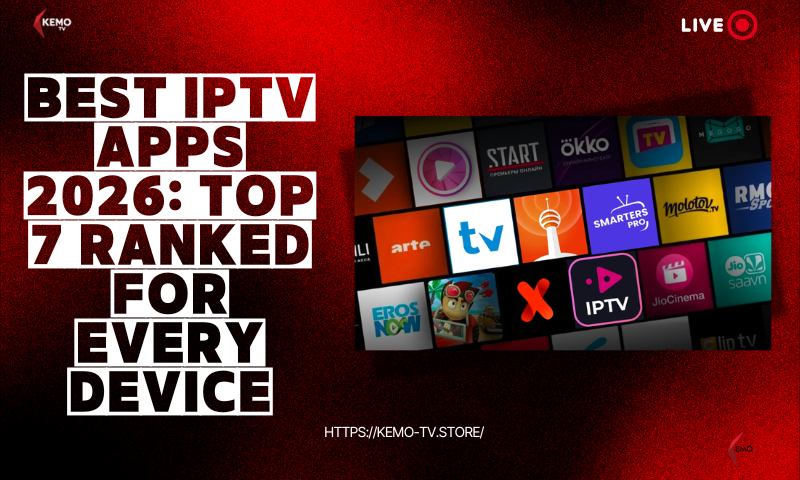
Best IPTV Apps 2026: Top 7 Ranked for Every Device
Search “best IPTV app” and you’ll get dozens of near-identical lists recycling the same five names. The real question isn’t which app is objectively best — it’s which one actually works for your device, because the wrong pick means starting over from scratch.
This guide ranks the 7 IPTV apps worth your time in 2026, tells you plainly which platforms each one skips (TiviMate’s Apple TV gap trips up more people than any other single detail in this category), and — since an app is only half of what you need — closes with the subscription that actually powers the channels inside it.
- TiviMate is the best overall IPTV app for Firestick and Android TV, but it has no iOS, Mac or Apple TV version — a real limitation several “best app” lists gloss over.
- IPTV Smarters Pro is the strongest cross-device pick, running on Android, iOS, Firestick and Smart TVs from one app.
- Smart IPTV, SmartOne IPTV and Kodi cover the “best free IPTV app” searches for Smart TVs and open-source setups.
- An app only displays channels — it needs a separate IPTV subscription like KEMO TV to actually supply them.
What Is an IPTV App? (IPTV App vs IPTV Service Explained)
An IPTV app — also called an IPTV player — is the software that displays your channels, EPG and on-demand library on screen. It doesn’t supply any TV content itself. That job belongs to a separate IPTV service or subscription, which is where the actual channels come from.
Think of it like a TV remote versus a cable box: the app is the remote and interface, the service is the box actually delivering the signal. Once you have a subscription, it gives you login credentials — usually an M3U playlist URL or an Xtream Codes login — and you enter those into whichever app on this list you choose. The app then organizes everything into a proper channel guide, categories and playback controls, instead of a raw, unusable link.
How We Picked (What Makes a Great IPTV App)
Five things separate a great IPTV app from a mediocre one: device compatibility, format support, EPG quality, playback and recording features, and price.
Device Compatibility
Cross-platform apps beat single-ecosystem ones — check this before you fall in love with a UI.
Format Support
M3U and Xtream Codes both, so you can switch providers without switching apps.
EPG Quality
The most underrated factor — a sluggish guide ruins an otherwise great app.
Bandwidth Needs
10 Mbps is enough for smooth HD; budget 25 Mbps or more for reliable 4K.
The 7 Best IPTV Apps in 2026 (Ranked)
TiviMate remains the top overall pick for Android and Fire TV users in 2026 — but the “best” app genuinely depends on your device, so here’s the full ranked breakdown, limitations included.
TiviMate
TiviMate is often called the gold standard for Android TV and Fire TV IPTV apps, and the reputation holds up in 2026. The interface is polished, the EPG is fast and reliable even on large playlists, and features like multi-view, favorites and channel categorization make it the top choice for anyone who watches a lot of live TV.
IPTV Smarters Pro
IPTV Smarters Pro trades some of TiviMate’s polish for something more valuable to multi-device households: it runs on Android, iOS, Firestick, Smart TVs, and even iPad. The interface is simple and beginner-friendly, with multi-screen viewing and backup/restore built in — genuinely useful if you switch between a phone and a TV often.
XCIPTV
XCIPTV is built specifically for Android TV, with a built-in multi-codec player that handles a wider range of streams without extra configuration. It’s a strong pick if you’re firmly in the Android ecosystem and want fewer moving parts.
OTT Navigator
OTT Navigator gives power users more knobs than anything else on this list — EPG layout, channel categories, skin themes, buffer settings, all fully adjustable, wrapped in a sleek dark-themed interface. It’s genuinely one of the more underrated apps in this category.
IBO Player
IBO Player delivers smooth, native playback specifically tuned for Samsung and LG Smart TVs — useful when sideloading a Firestick-style app isn’t an option and you need something that just works out of the box.
Smart IPTV / SmartOne IPTV
Smart IPTV is the easiest way to load an M3U playlist directly onto a Samsung or LG Smart TV — you register your MAC address once on their site and you’re set. SmartOne IPTV extends the same simplicity to Hisense’s VIDAA OS. Neither offers deep EPG or recording features, but for a free, no-fuss setup they’re hard to beat.
Kodi (IPTV PVR Add-on)
Kodi isn’t an IPTV app by default, but its PVR add-on natively supports M3U playlists and turns it into a fully capable, completely free IPTV player. It’s the most customizable option here by far — at the cost of a noticeably steeper setup process than any dedicated IPTV app.
Want to see TiviMate’s official feature list straight from the source? Check the official TiviMate site.
IPTV App Comparison Table (At a Glance)
Here’s how all 7 apps stack up side by side — platforms, EPG quality, recording support, price and who each one is really built for.
| App | Platforms | EPG | Recording | Price | Best For |
|---|---|---|---|---|---|
| TiviMate | Android, Fire TV | Excellent | Yes (premium) | Free / paid tier | Firestick power users |
| IPTV Smarters Pro | Android, iOS, Fire TV, Smart TV | Good | No | Free | Cross-device households |
| XCIPTV | Android, Android TV | Good | Limited | Free | Android TV power users |
| OTT Navigator | Android, Fire TV | Excellent | Yes | Free / paid tier | Deep customization |
| IBO Player | Samsung, LG | Good | No | Free | Smart TV owners |
| Smart IPTV / SmartOne | Samsung, LG, Hisense | Basic | No | Free | Simple Smart TV setup |
| Kodi (PVR add-on) | Android, Win, Mac, Linux, Fire TV | Good | Add-on dependent | Free | Open-source, budget setups |
Best IPTV App by Device (Firestick, Apple TV, Android, iPad, LG TV)
If you just want the direct answer for your specific device, here it is: TiviMate for Firestick, IPTV Smarters Pro for Apple TV and iPad, TiviMate or OTT Navigator for Android, and Smart IPTV or SmartOne for LG TV.
Which IPTV app is better for Firestick?
TiviMate is generally the better Firestick app if you only use Android-based devices — its EPG and interface are simply more polished. But if you also want the exact same app on an iPhone or Smart TV, IPTV Smarters Pro is the smarter choice since your setup carries over.
Best Apple TV IPTV app
IPTV Smarters Pro is the best IPTV app for Apple TV. This is worth repeating clearly because it trips people up constantly: TiviMate, despite topping most “best app” lists, has no Apple TV version at all. If you’re an Apple TV household, skip straight to Smarters Pro.
Best free IPTV app for iPad, LG TV & Android TV
IPTV Smarters’ free tier covers iPad and Android TV well. For LG TVs specifically, Smart IPTV remains the simplest free setup — register your MAC address once and load your playlist directly.
How to Install an IPTV App (Quick Setup Guide)
Most IPTV apps install in under 5 minutes. Smart TVs and iOS devices get theirs straight from an app store, while Firestick and some Android TV boxes need a quick sideload first.
Enable unknown sources (Firestick only)
On Firestick, go to Settings, enable Apps from Unknown Sources, then install the free “Downloader” app from the Amazon Appstore.
Install your chosen app
Smart TV and iOS users install directly from their app store. Firestick users enter the app’s download code into Downloader.
Enter your credentials
Add the M3U URL or Xtream Codes login from your IPTV subscription, and your channels and EPG load automatically.
Which IPTV Service Should You Pair Your App With?
An app is only half the equation — as covered above, it needs a subscription behind it to actually show any channels. Pair any app on this list with KEMO TV for stable servers, a real free trial, and a channel lineup spanning USA, UK, Canada and international content.
KEMO TV supports both M3U and Xtream Codes, works with every app covered in this guide, and offers a 24-hour free trial so you can confirm compatibility with your specific app and device before subscribing. Whether you’re comparing this against other providers or just want to know what a stable IPTV subscription looks like, our Krooz TV review and VocoTV review cover two other options worth knowing about.
See the full KEMO TV channel lineup, check current pricing and plans, or browse supported devices before you start your trial.
Frequently Asked Questions
What is the best IPTV app in 2026?
Which IPTV app is better for Firestick?
What is the best free IPTV app?
What is the best IPTV app for Apple TV?
Is an IPTV app the same as an IPTV service?
Do I need a subscription to use an IPTV app?
The Bottom Line
TiviMate leads for Firestick and Android TV power users, IPTV Smarters Pro wins on cross-device flexibility and is the clear choice for Apple TV, and free options like Smart IPTV and Kodi cover budget-conscious Smart TV and open-source setups. Whichever app fits your device, remember it’s only half the picture — you’ll still need a reliable subscription behind it.