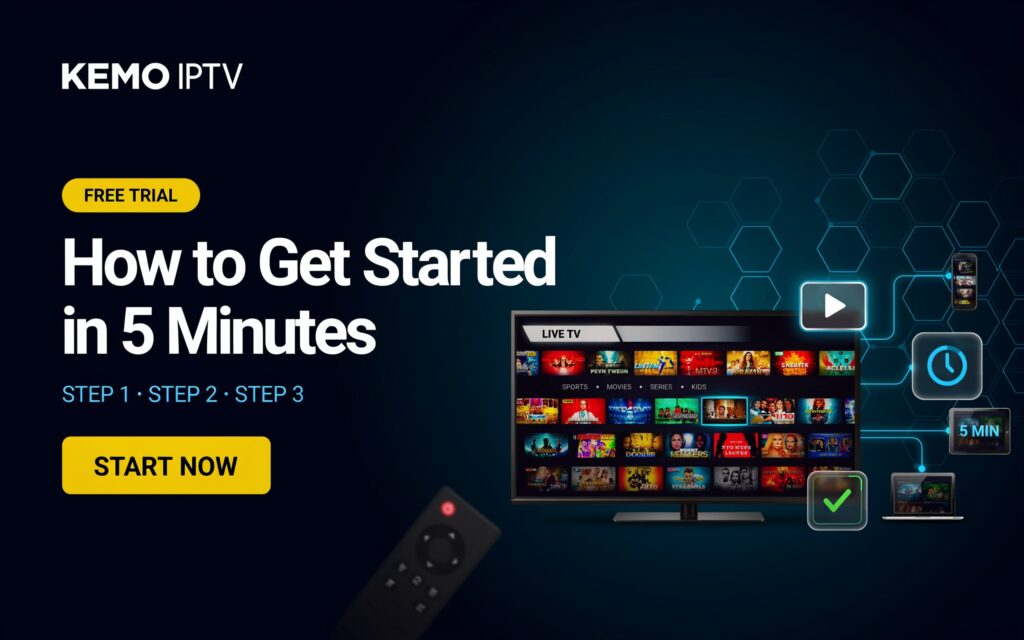
KEMO IPTV Free Trial: How to Get Started in 5 Minutes
No technician, no contract, no credit card. Here’s the exact path from “interested” to “watching” in under five minutes.
Get My Free Trial on WhatsAppMost IPTV free trials promise “instant access” and then bury you in forms, downloads, and confusing login screens. The KEMO IPTV free trial skips that. Most people who eventually pay for an IPTV service test it first, and the providers that make that trial fast and simple are the ones people actually stick with. (For a broader look at what separates good providers from bad ones, see our IPTV blog.) Here’s exactly how to go from zero to watching, step by step.
Key Takeaways
- You can get the KEMO IPTV free trial running in about 5 minutes, no technician needed
- No credit card is required to start — only a working device and internet connection
- Most trial issues come from internet speed, not the IPTV service itself — 20–25 Mbps is the safe minimum
- The fastest way to activate is through WhatsApp or Telegram — a real person sets you up, no forms
What Do You Need Before Starting Your KEMO IPTV Free Trial?
Before requesting a trial, make sure you have three things ready. Skipping this step is the most common reason people think a trial “didn’t work” when really their setup wasn’t ready.
- A stable internet connection — 20 Mbps minimum for HD, 25 Mbps or higher for 4K
- A streaming device — Smart TV, Firestick, Android box, phone, tablet, or PC all work
- A free IPTV player app — IPTV Smarters Pro or TiviMate are the most reliable choices
Isn’t it strange how many “free trial” pages ask for none of this and then blame your connection when it buffers? Getting these three things sorted first means your trial actually reflects what daily use will look like.
How to Activate the KEMO IPTV Free Trial in 5 Steps
Here’s the complete process, broken into five steps. Most users complete all five in under five minutes.
Message us on WhatsApp or Telegram
Send a quick message requesting your free trial. No long form, no email chain — just tell us what device you’ll be watching on.
⏱ ~30 secondsReceive your trial credentials
You’ll get a username, password, and server URL (or M3U link) sent directly to your chat — no need to check email or spam folders.
⏱ ~1 minuteInstall your IPTV player app
Download IPTV Smarters Pro or TiviMate from your device’s app store. Both are free and work with almost any smart device.
⏱ ~1.5 minutesEnter your trial details
Open the app, select “Add User” or “Login with Xtream Codes,” and paste in the username, password, and server URL you received.
⏱ ~1 minuteStart watching
Your channel list loads automatically. A healthy connection loads the full list in under 30 seconds — if it takes much longer, check your Wi-Fi signal first.
⏱ ~30 secondsHow to Set Up the Trial on Your Specific Device
The five steps above stay the same everywhere — only step 3 and 4 change slightly depending on your device. See the full compatible devices list for anything not covered below, or follow the quick version for the most common setups here.
📺 Smart TV (Samsung, LG, Android TV)
Open your TV’s app store, search for “IPTV Smarters Pro,” and install it directly. No sideloading needed on most modern Smart TVs. Enter your credentials and you’re streaming on the big screen immediately.
🔥 Amazon Firestick / Fire TV
Search “IPTV Smarters Pro” in the Amazon App Store on your Firestick. If it’s not listed in your region, enable “Apps from Unknown Sources” in Settings and sideload via Downloader app, then enter your trial details.
🤖 Android Box / Android TV
Install IPTV Smarters Pro or TiviMate from the Google Play Store. TiviMate tends to offer a cleaner channel guide on Android boxes, which is worth trying if you watch a lot of scheduled programming.
📱 Phone or Tablet (iOS / Android)
Download the IPTV Smarters Pro app from the App Store or Play Store. Mobile is the fastest device to test on since there’s no sideloading and the app store install takes seconds.
Whichever device you start with, the trial credentials work the same way everywhere — so you can test on your phone first, then move to the TV later without requesting a new trial.
Why Are So Many People Switching to KEMO TV?
The IPTV market keeps growing because traditional cable is losing the comparison on almost every front — price, flexibility, and device support. KEMO TV was built specifically around the friction points that make people abandon other trials before they even finish testing.
- Real human setup help — message a person on WhatsApp, not a ticket queue that replies in two days
- No forced sign-up forms — your trial credentials arrive in chat, not buried in a promotional email
- Stable evening performance — the trial reflects exactly what peak-hour streaming will look like as a paying subscriber
- Cross-device flexibility — start on your phone, finish on your TV, no extra request needed
A trial is only useful if it tells you the truth about daily use. That’s the entire design goal behind how KEMO TV’s trial works — and once you’re convinced, the pricing page shows every plan with no hidden renewal surprises.
Skip the searching — activate directly
Message our team now and get your trial credentials sent straight to your chat.
Activate via WhatsAppWhat Should You Test During the Trial Period?
Most people just open a channel, watch for a minute, and decide. That’s not enough to judge a service fairly. Here’s what actually matters:
- Does the channel list load in under 30 seconds?
- Is the stream stable during evening hours (7–10 PM), when servers are busiest?
- Are the sports channels and leagues you care about actually included?
- Does the VOD library look current, not last year’s catalog?
- How fast does support respond if something doesn’t work?
A trial that performs well at 2 PM and falls apart at 9 PM tells you everything about what a paid subscription would actually feel like.
What If Something Goes Wrong During Setup?
Buffering, login errors, and blank channel lists are usually fixable in under a minute. Try these first:
- Restart the app — clears most temporary glitches
- Check your Wi-Fi signal — move closer to the router or switch to ethernet
- Re-enter your credentials — a typo in the server URL is the most common setup mistake
- Message support directly — our Telegram Help Desk usually replies within minutes
Common Mistakes That Ruin a Free Trial
Most disappointing trial experiences trace back to one of these five mistakes — all avoidable in under a minute.
- Testing only during the day — daytime streams almost always look fine. Evening and live sports are the real test.
- Using Wi-Fi from another room — a weak signal looks like a bad provider when it’s actually a router placement issue.
- Ignoring the EPG (program guide) — a missing or broken guide is a strong sign of poor backend infrastructure.
- Not testing on the device you’ll actually use daily — a trial on your phone doesn’t guarantee the same experience on your Smart TV.
- Giving up after one buffer — a single hiccup can be your network; check if it repeats before judging the service.
Frequently Asked Questions
Do I need a credit card for the KEMO IPTV free trial?
No. The trial only requires a device and an internet connection — no payment details are needed to start watching.
How long does the KEMO IPTV free trial last?
Trial windows are typically short test periods designed to let you check stream quality and channel availability before deciding — message us on WhatsApp for current trial length, or check subscription plans if you’re ready to skip straight to a full plan.
What internet speed do I need for the trial to work well?
20 Mbps is the minimum for smooth HD streaming, while 25 Mbps or higher is recommended if you plan to test 4K content or stream on multiple devices at once.
Which devices work with the KEMO IPTV free trial?
Smart TVs, Firestick, Android TV boxes, smartphones, tablets, and PCs all work using a free IPTV player app like IPTV Smarters Pro or TiviMate.
Can I switch devices during the trial?
Yes — the same trial credentials work across multiple devices. You can test on your phone first and then move to your Smart TV or Firestick without requesting a new trial.
What happens if the channel list doesn’t load?
This is almost always a connection issue rather than a credentials problem. Restart the app, confirm your internet speed is at least 20 Mbps, and re-enter the server URL carefully — a single typo is the most common cause.
Do I need a VPN to use the trial?
A VPN isn’t required, but some users prefer one for added privacy while streaming. If you plan to use a VPN long-term once subscribed, testing with it active during the trial gives a more realistic picture of performance.